Olie Suite for hotels

Reach your guests simply, quickly and unobtrusively.

The message appears as a ticker right on the TV in the room. Plus a program guide and your hotel's own channel, all from one admin panel.

Need to reach your guests quickly and precisely?Olie says it for you :)The spa is open until 9 PM todayBreakfast is served from 7 to 10:30 AM
Welcome, room 21Hotel TV
19:42
Color
Size

Live preview of the captions. In the admin panel you set the same parameters for every message.

Olie Suite

Three apps for the TVs in hotel rooms

Each one does one job. Together they cover reaching guests, finding programs and the hotel's own content.

Olie MessageTicker messages

Short messages scroll across the top of the guest room TV. You choose the room or group of rooms, the text, the look and the validity period.

How it works
Android TVCloudOn-premise

Olie EPGProgram guide

Adds EPG (the electronic program guide) to programs streamed over HLS, so guests can see what is on now and what comes next.

More about EPG
HLSEPG

Olie ChannelYour own info channel

Turns photos and videos into an HLS stream. The hotel publishes it as its own channel with offers, events and guest information.

More about Olie Channel
HLSPhotoVideo

Olie Message

From installation to your first message on TV

The app is installed on the TV once. After that you work only in the admin panel.

  1. Install the app

    Olie Message is an APK outside Google Play. On first launch you confirm one permission on the TV, and after that no further action on the TV is needed.

  2. The TV shows up in the admin panel

    A user connecting from the same public IP address sees new TVs in the device list.

  3. Assign a room number

    Each TV gets a room number. You then target messages by it, to a single room or to whole groups.

  4. Send a message

    Write the text, set the font, size, color, speed, number of displays and validity from – to.

OLIE Admin
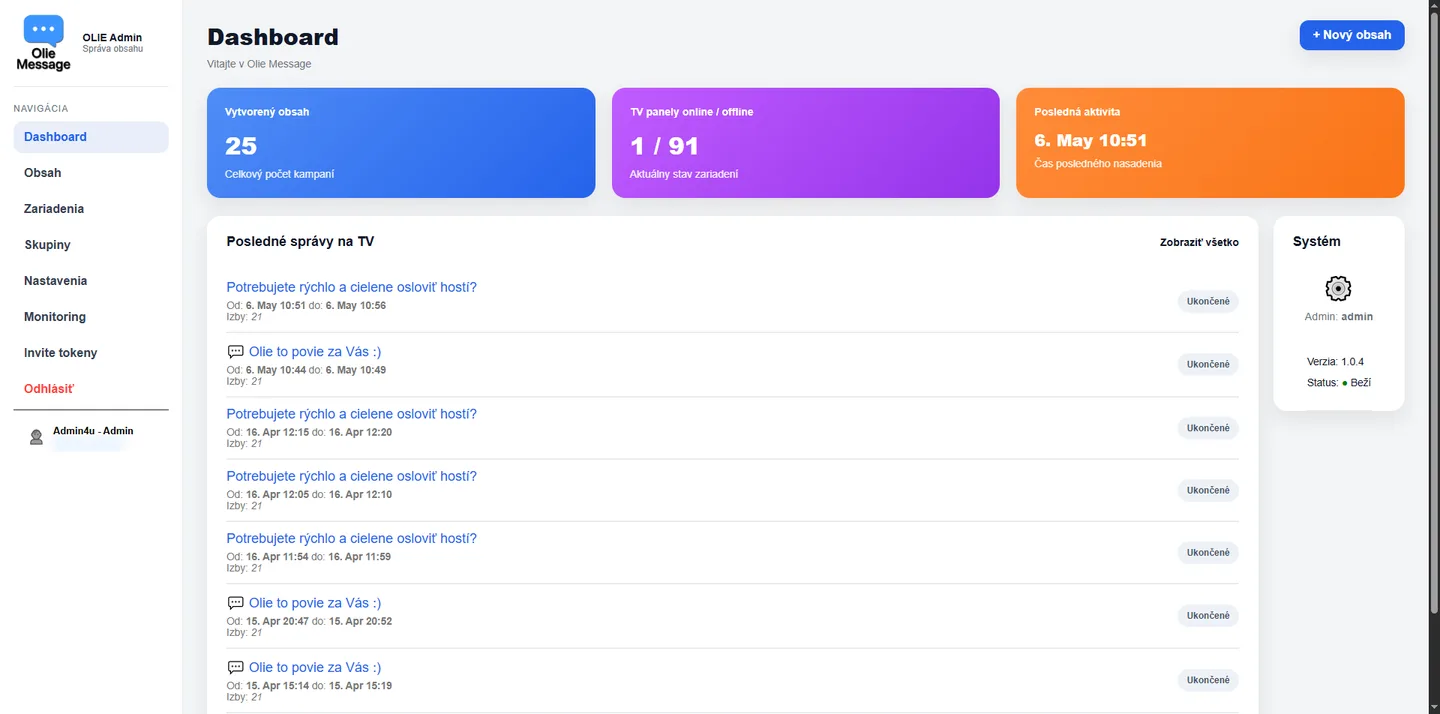
Olie Message admin dashboard with content statistics, TV panel status and a list of recent messages

An overview of created content, the online and offline status of TV panels and the latest messages deployed to the TVs.

Caption style

Font, text size, scroll speed, color and number of displays are set for every message.

Validity from – to

The message appears at the set time and ends on its own when that time is over.

A room or a group of rooms

Reach a single guest, one floor, the apartments or the whole hotel.

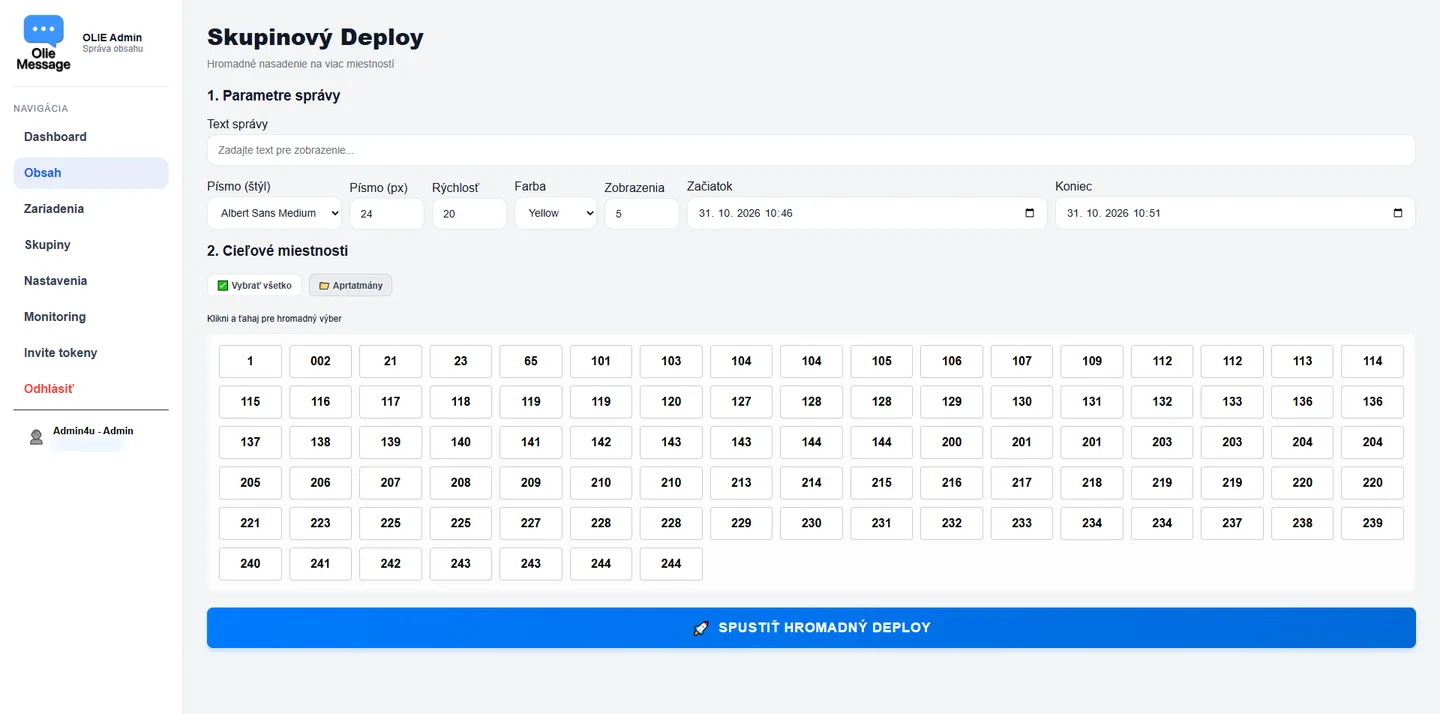
Group deploy

You select rooms by clicking and dragging with the mouse. One button deploys to all of them.

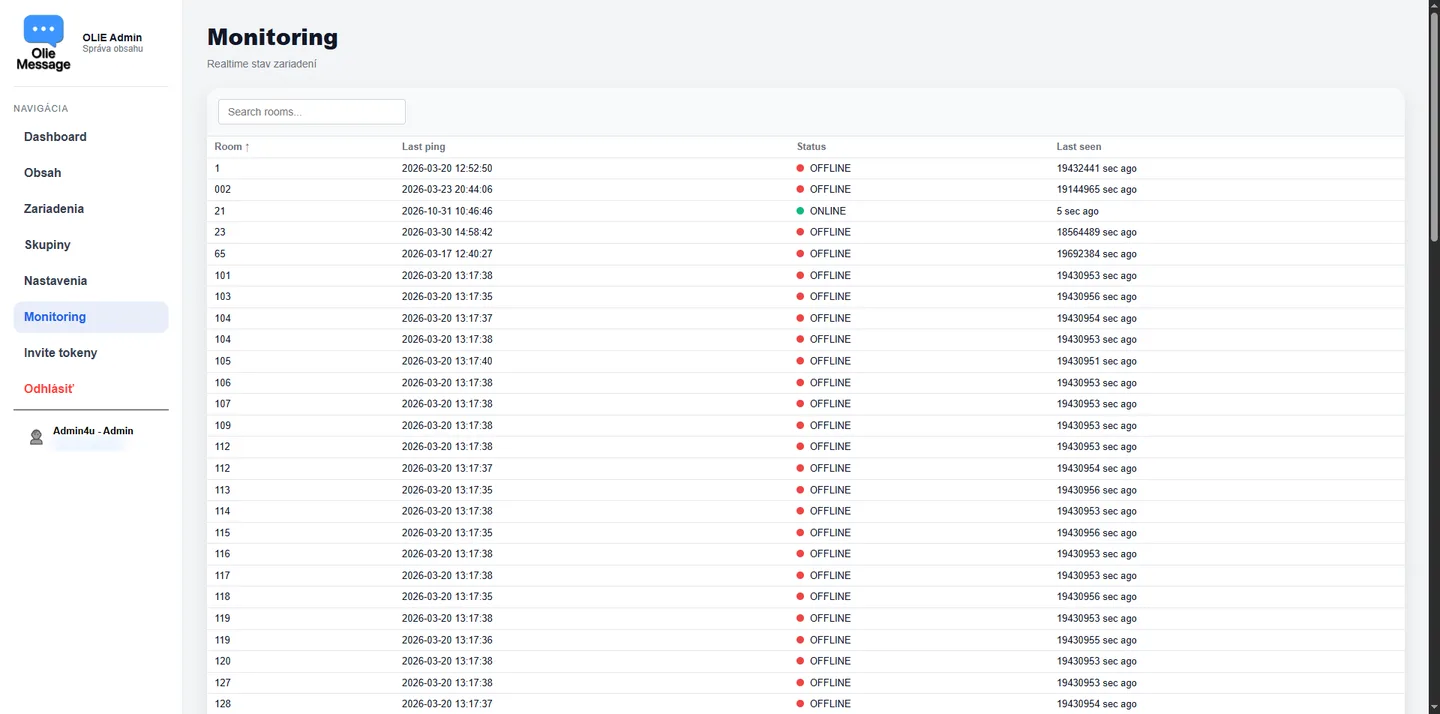
Monitoring

See which TVs are online and which are in standby, including the time of the last connection.

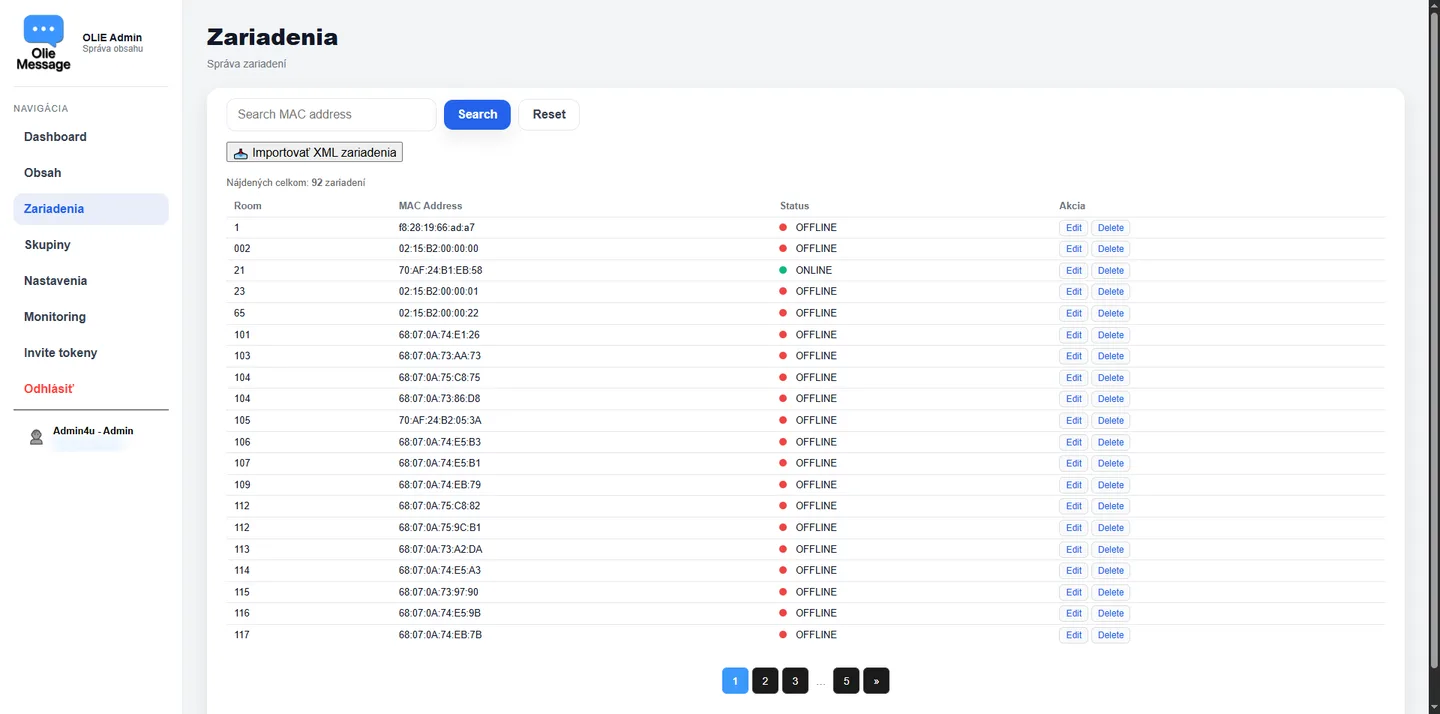
Device import

Upload the list of devices and rooms in bulk from an XML file.

Olie EPG

Programs with a clear guide

Programs from HLS streams get an EPG, so guests see what is on now and what follows.

Olie Channel

Your hotel's own channel from photos and videos

Upload photos and videos and Olie Channel builds an HLS stream from them. The hotel publishes it as a separate info channel.

Deployment

Cloud or your own server

Cloud

The admin panel runs as a web application and you open it in a browser from anywhere.

On-premise

The application can also run on a server in your own network.

No personal data of guests

The system works only with TV MAC addresses and room numbers. It does not use PMS data such as guest names, so it stores no personal data of guests and data protection (GDPR) is not an obstacle to deployment.

MAC addressRoom numberNo PMS data

Want Olie Suite in your hotel?

Write to us, we will show you the admin panel and agree on the deployment.